GDM — Gnolex Download Manager
A free, fast download manager: segmented downloads that resume after anything, browser capture, video downloads, torrents and a real Arabic interface.
Windows 10 or 11, 64-bit. macOS and Linux versions are coming.
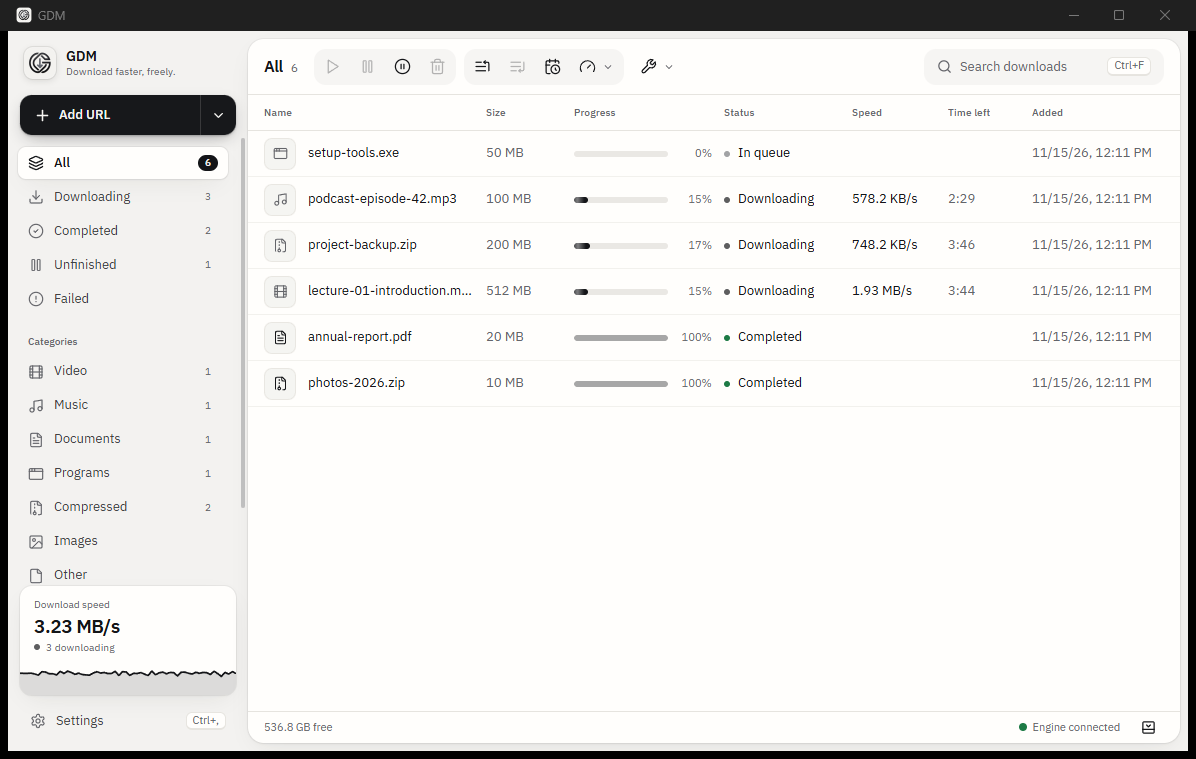
See it in action.
Real screens from the app, in light and dark, English and Arabic.
Why GDM — Gnolex Download Manager?
GDM splits every file into parts and downloads them at once, so big files finish faster. Pause, close the app, lose the connection or restart the computer: GDM picks up where it stopped.
- Browser capture. Downloads you start in Chrome, Edge, Firefox or Opera go straight to GDM, and a download button appears on videos.
- Video and streams. Pick the quality, record live streams, cut clips, convert to MP4.
- Organised by itself. Files are sorted into folders by type, with queues, schedules and speed limits.
- Torrents and more. Magnet links, .torrent files, Metalink, FTP and SFTP.
- English and Arabic. A true right-to-left interface, light and dark.
- Private. No account, no ads, no tracking. Passwords stay in the Windows credential store.
How to install it.
Available for Windows.

-
Download the installer
Click Windows above and download the latest setup file (.exe).
-
Run it
Open the file. If Windows SmartScreen shows a warning, choose More info, then Run anyway.
-
Accept the licence
Read the licence agreement, click I Agree and finish the setup. No administrator rights are needed.
-
Start GDM
GDM opens with a short welcome: choose your language, theme and download folder.
Add the browser extension.
It sends your browser's downloads, videos and links to the app.
-
01
Open your browser's store
Click your browser above: Chrome, Edge, Firefox or Opera.
-
02
Add it
Click Add to browser (or Get) and confirm.
-
03
Check the connection
Click the GDM icon in the toolbar. With GDM running it says Connected.
How to use it.
-
Add a link
Click Add URL or press Ctrl+N, paste a link and choose where to save it. Links you copy are picked up too.
-
Download from your browser
With the extension, downloads you start in the browser go to GDM, and videos get a download button.
-
Stay in control
Pause and resume any time, set speed limits, and use queues and schedules for big batches.
-
Find your files
Finished files are sorted into folders by type. Double-click one to open it.
Ready to download GDM — Gnolex Download Manager?
Choose your computer above. Questions? We reply personally.